
Best office laser printers for business: What to compare before you decide
Choosing an office laser printer is not about finding the model with the most features. It is about matching a device to how your office actually prints: how many pages, how many people, and what kind of documents. The wrong choice can become a daily headache, with slow output, high running costs and a machine that can’t keep up. Get that match right and the printer quietly does its job in the background, keeping pace with your team. The right choice becomes one less thing to think about, freeing you to focus on the work that matters..
A reliable printer keeps office printing running without the daily issues of jammed trays, scrambling for toner, and calls to IT partway through a busy week. That reliability comes down to a handful of factors, not the marketing on the box.
This guide covers what actually matters when comparing office laser printers, so you can walk into a decision with the right questions answered.
What to look for in an office laser printer
Most comparisons start with brand and price. Neither tells you whether a printer will suit your office, and both can lead you toward a device that looks impressive on a spec sheet but does not match how your team actually prints. The factors below do.
Print volume: how many pages your team produces in an average month, whether that is a small office of five people or a fifty-seat floor
Speed: pages per minute, and whether that number holds up under real workloads
Toner and consumables: the ongoing cost that matters more than the purchase price
Connectivity: how the printer fits into your existing network and devices
Paper handling: tray capacity and support for the paper sizes and stock you use
Each of these is covered in more detail below.
Comparison table: Key specs at a glance
Use this table as a starting checklist when comparing printer models for your office.
Factor | Why it matters | What to check |
|---|---|---|
Print volume | Determines the right duty cycle for your office | Monthly page volume vs rated duty cycle |
Cost per page | Ongoing cost outweighs purchase price over time | Toner yield and cartridge cost |
Mono vs colour | Colour prints cost more than mono per page | How often your office genuinely needs colour |
Connectivity | Affects reliability for shared office use | Ethernet support for shared network printers |
Paper handling | Reduces refill frequency and supports varied stock | Tray capacity and supported paper sizes |
Rent vs buy | Affects cash flow and servicing responsibility | Whether servicing and consumables are bundled |
None of these factors matter equally for every office. A legal practice printing dense contracts all day has different priorities to a design studio producing colour proofs. Use the table as a checklist, then weigh each row against how your own office actually operates.
Print-only vs Multifunction laser printer: Which do you need?
A print-only laser printer does one job well. A multifunction laser printer, often called an all-in-one, adds scanning, copying and often faxing in a single device.
Most offices are better served by a multifunction device. Scanning and copying are everyday tasks, and running them through one machine is simpler to manage and service than maintaining separate devices. Print-only laser printers still suit specific setups, such as a dedicated printer for a single high-volume task, but for a typical office, a multifunction printer covers more ground.
Key Takeaway: Most offices are best served by a multifunction printer that handles scanning, copying and printing in one device. However, print-only models suit dedicated, high-volume tasks.
Mono vs Colour laser printers for the office
Mono, or monochrome, laser printers are built for high-volume text output, such as invoices, contracts, and internal documents. They cost less to run and suit offices where colour is rarely needed.
Colour laser printers cover the same ground and add colour output for marketing materials, presentations and client-facing documents. Colour prints cost more to produce, so the right choice depends on how often your office actually needs colour, not just whether it might be useful occasionally.
Many offices run a mono device for everyday printing and a colour multifunction printer where client-facing output is common. Others standardise on one colour device and manage output through print settings and defaults.
Key takeaway: Choose mono for high-volume, black and white documents at a low running cost. Choose colour for marketing materials and client-facing documents. Consider both if your office needs each often.
Is a colour laser all-in-one worth It?
A colour laser all-in-one adds scanning and copying alongside colour output, which suits offices producing client-facing documents that also need everyday scanning from a single device. If colour is only occasional, a mono multifunction printer is usually the more economical fit.
Speed and duty cycle: Matching output to your print volume
Speed is usually measured in pages per minute (PPM), but the number on a spec sheet is a best-case figure. What matters more for an office is the duty cycle: the volume of pages a printer is designed to handle reliably each month.
A printer running well below its duty cycle will last longer and need less servicing. A printer running near or above it will show the wear first, usually in the form of more frequent breakdowns and shorter component life.
A small office printing a few hundred pages a week has very different needs to a fifty-person floor churning through several thousand pages a month. Matching duty cycle to your actual volume, is what keeps a printer reliable over its working life.
What PPM best suits your office is highly variable, based on your required volume. However, a good starting point may be:
Small office: 20-25PPM
Large office: 45-75PPM
Important tip: If your office is growing, it is worth buying ahead of current volume rather than matching it exactly.
Cost per page and running costs
The purchase price of a laser printer is a small part of its total cost. Toner and consumables are what add up over the life of the device.
This is best measured using cost per page, a calculation that accounts for toner yield and cartridge price. It is a far more useful number than the sticker price when comparing two similar printers.
Toner yield and consumables
Laser toner cartridges are rated by yield, the number of pages a cartridge is expected to produce. Higher-yield cartridges cost more upfront but typically bring the cost per page down over time. For offices with predictable print volume, this is the figure worth comparing, not the sticker price of the cartridge.
Connectivity and network setup
Office laser printers today connect over Wi-Fi, Ethernet, or both. Ethernet is generally the more stable option for a shared office printer sitting on a business network, particularly where multiple users are printing throughout the day. Wi-Fi suits smaller offices or adds flexibility for printers that need to move. Check whether a printer supports mobile printing and standard business protocols if your team prints from laptops or phones.
For offices with an IT policy or a managed network, confirm the printer supports the authentication and driver standards your business already runs, rather than assuming plug-and-play will cover it. A printer that needs manual driver installs on every machine adds friction that outweighs any saving on the purchase price.
Key takeaway: Ethernet is the most stable choice for a shared office printer, while Wi-Fi adds flexibility for smaller or mobile setups.
Paper handling and tray capacity
Tray capacity determines how often someone needs to refill paper, which matters more in a busy office than it might seem. Look at total sheet capacity, support for different paper sizes, and whether the printer handles heavier stock if your office regularly prints on anything beyond standard paper.
A single tray of 250 sheets might be enough for a small office, but a busier floor printing contracts, reports and marketing collateral will burn through that in a morning. Multiple trays, each configured for a different paper size or stock, save the constant back-and-forth of manually swapping paper for different jobs.
Key takeaway: Tray capacity means how much paper can be in the printer at one time. Match it to your print volume to avoid constant refilling and swapping.
Other features to compare
Beyond speed, cost and paper handling, a handful of smaller features make a real difference to how a printer fits into daily office use.
Duplex printing: automatic double-sided printing as standard, not an add-on
Security: user authentication, secure print release and data encryption for offices handling sensitive documents
Laser printers with scanning
Laser printers with scanning built in, essentially a printer with a scanner covering scan-to-email, scan-to-folder and cloud upload, remove the need for separate scanning hardware and suit offices moving toward paperless workflows.
See our A3 and A4 office printer range
Renting vs Buying an office laser printer
Outright purchase means one upfront cost and full ownership from day one. Renting bundles the equipment, servicing, maintenance and consumables into one predictable monthly payment.
For most growing businesses, renting removes the guesswork. There is no large upfront outlay and no ageing equipment to manage as your office grows. It is why renting has become the more common choice for offices that want their print environment to run smoothly without ongoing admin.
View our renting and buying options
How to choose the right printer for your office
Start with print volume and how often your office genuinely needs colour. From there, match duty cycle to your monthly page count, weigh ongoing costs over the purchase price, and confirm the printer supports the way your team already works, whether that is a shared network setup or mobile printing.
If none of this feels straightforward, that is normal. Most businesses are not printer experts, and they should not need to be. Our team works through this shortlist with WA businesses every week, and printer buying gets a lot simpler once volume, colour needs and duty cycle are settled first.
Use our Print Finder Tool to match your office to the right printer
Most businesses aren’t looking for a particular model number; they’re looking for the right solution to suit their needs, workflow and budget.
They want something reliable. The right speed. The right features. The right cost.
Answer a few quick questions using our Printer Finder Tool and we will recommend the perfect printer for your office.
Printer Finder Tool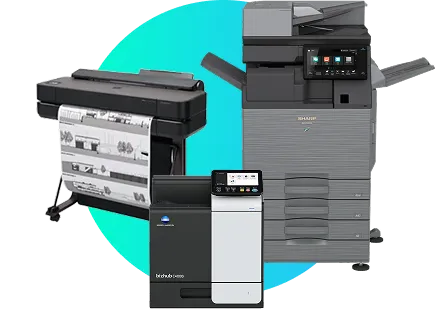
Frequently asked questions
What is the best laser printer for office use?
There is no single best model. The right printer depends on your office's print volume, whether you need colour, and how the device fits your network. A printer well-suited to a five-person office will be under-specified for a fifty-person team, and vice versa. Working through duty cycle, ongoing costs and connectivity first will narrow the field far more usefully than any single model recommendation.
What features should I look for in an office laser printer?
Focus on duty cycle, ongoing running expenses, connectivity and paper handling before comparing extra features. These four factors determine whether a printer suits your office day to day.
What is the difference between a laser printer and an inkjet printer for office use?
Laser printers use toner and are built for higher volume, faster output and a lower cost to run over time. Inkjet printers use liquid ink and generally suit lower-volume, occasional printing. Most offices with regular daily printing are better served by a laser printer.
How do I choose the right laser printer for my specific needs?
Start with your monthly print volume and whether colour is a regular requirement. From there, match duty cycle to your workload and confirm the ongoing cost against your usage. It also helps to think about growth: a printer that only just covers today's volume can become a bottleneck within a year
What are the running costs of a laser printer?
Running costs are mostly toner and consumables. Higher-yield cartridges cost more upfront but typically lower the cost per page over time, so it is worth comparing that figure rather than the purchase price alone.