
How to Choose the Best Office Printer for Your Business
Buying or leasing an office printer is a decision most businesses make once every three to five years. Getting it wrong means living with a device that is too slow, too small or too expensive to run for the life of the agreement.
This guide is for office managers, operations leads and business owners in WA who want to make a well-informed decision without spending hours reading manufacturer spec sheets.
Start with volume, not features
Print speed, finishing options and connectivity matter. But none of it is relevant if the device is not matched to your monthly volume. Here is a practical starting point:
Under 2,000 pages per month: A4 multifunction, or entry-level A3
2,000 to 10,000 pages per month: A3 colour multifunction
10,000 to 50,000 pages per month: mid-range A3 multifunction with a service agreement
50,000+ pages per month: high-volume A3 device rated for production workloads
If you are unsure where your office sits, look at your current device's usage report. Most modern printers track monthly page count in the settings menu. That number is your baseline.
Colour vs mono
Colour printing costs more per page than mono. If your office prints mostly internal documents, reports and correspondence, a mono device will cost less to run and is simpler to maintain.
If client-facing materials, proposals or presentations come from your printer, colour earns its place.
Note that colour devices can print in mono too. If there is any chance your needs will shift toward colour, leasing a colour device gives you the flexibility without locking you into mono from the start.
A3 vs A4
A4 handles standard documents. A3 handles everything A4 does, plus plans, wide spreadsheets, brochures and larger document formats.
Even if your office rarely prints in A3, the wider device format often brings higher volume capacity, faster print speeds and more advanced scanning features, all of which are useful regardless of paper size. For most medium and large WA businesses, A3 is the right call.
What to look for in scanning
Document scanning is increasingly central to how offices operate. Before choosing a device, consider:
Automatic document feeder capacity
How many pages can the device scan in one batch? A 100-sheet or higher ADF is useful for high-volume scanning. A 50-sheet ADF creates a bottleneck in offices that regularly process multi-page documents.
Duplex scanning
Does it scan both sides of a page in one pass? This matters if your team processes contracts, reports or multi-page correspondence regularly. Single-pass duplex scanning is standard on mid-range and above devices.
Scan to cloud
Can it scan directly to SharePoint, Google Drive, Dropbox or your document management system? Direct cloud integration removes a manual step from the workflow and is worth confirming before committing to a device.
OCR
Does the device convert scanned documents to editable text? For industries handling large volumes of inbound paperwork, this capability saves meaningful time each week.
Security features worth asking about
In a shared office environment, document security is worth taking seriously. Modern A3 multifunction devices include:
Secure print release: documents only print when the user authenticates at the device
User-level access control: restrict who can print colour, scan externally, or access certain functions
Data encryption: on-device storage is encrypted
Audit trails: a log of who printed what and when
For healthcare, legal, finance and government-adjacent businesses, these features are not optional.
Think about service, not just the device
The device is only part of the decision. How it gets serviced and how quickly matters just as much. When evaluating a supplier, ask:
What is the service response time? (Scope BI: 2 hours in metro Perth)
What is the first-time fix rate? (Scope BI: 98%)
Are service calls included in the lease?
Is toner included, or invoiced separately?
Who do you call when something goes wrong? (Scope BI: a local Perth number, not an offshore call centre)
Lease or buy?
For most WA businesses, a bundled lease is the better option. Equipment, servicing, maintenance and consumables in one monthly cost. No surprises.
If you are a low-volume office with straightforward needs, buying outright is worth considering. See our full guide to printer leasing vs buying for a detailed breakdown.
Let us make this simpler
Our Print Finder Tool takes under two minutes and returns a tailored recommendation based on your office size, volume and workflow needs. Our Perth team is also available to assess your requirements and recommend the right device with a quote for lease or purchase.
Need help finding your next printer?
Most businesses don’t walk in asking for a specific model number.
They want something reliable. The right speed. The right features. The right cost.
Answer a few quick questions and we will recommend the perfect printer for your office.
Printer Finder Tool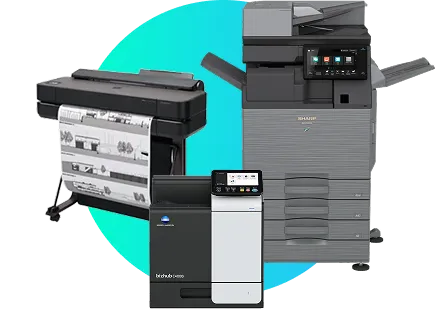
Read to upgrade your office printer?
Let’s make your print environment simpler, faster and more reliable.
Speak with our team today.