
Office printers A3 and A4: how to choose the right option for your business
Choosing the right office printer is an important decision for any organisation. Office managers, IT managers and procurement teams often need to balance document requirements, print volume, office space, and long-term running costs.
One of the most common questions during procurement is whether an office should use A3 printers or A4 printers. While both options support everyday business printing, they serve different operational needs.
This guide explains the differences between office printers A3 and A4, how each fits different workplace environments, and what factors to consider before making a decision.
Understanding A3 and A4 paper sizes
Before comparing printers, it helps to understand the difference between the two paper formats.
Paper Size | Dimensions | Description | Common uses |
A4 | 210 x 297 mm | The standard size used for most office documents | Letters, Reports, Invoices, Internal documents, Contracts |
A3 | 297 x 420 mm | Exactly twice the size of A4 | Spreadsheets, Diagrams, Marketing materials, Architectural drawings, Presentation |
A4 office printers explained
An A4 office printer is designed to handle standard business documents. These devices are typically smaller, more affordable, and suited to environments where large format printing is not required.
Key benefits
Compact footprint suitable for desks or small work areas
Lower upfront hardware cost compared with A3 devices
Designed primarily for everyday document printing
Often available as multifunction devices (print, scan, copy)
A4 printers are widely used in small offices, individual departments, branch offices and naturally suit remote or hybrid work environments.
Many organisations deploy multiple A4 devices across teams to provide convenient local printing.
A3 office printers explained
An A3 office printer is a device capable of printing larger A3 documents (297 × 420 mm) in addition to standard A4. These printers are commonly used in business environments where teams need to produce larger documents such as spreadsheets, diagrams, reports or marketing materials.
Some A3 printer models are designed purely for printing, while others include additional capabilities such as scanning and copying (also known as multifunction printers or multifunction devices in the industry).
In many modern workplaces, A3 multifunction printers (MFPs) are a priority because they combine several document functions in a single device and support shared office workflows.
These devices are often used as central office printers, supporting multiple users and handling larger print volumes.
Key benefits of A3 printers
Ability to print both A3 and A4 paper sizes
Higher print capacity with larger paper trays
Designed to support higher monthly print volumes
Often positioned as shared departmental devices
Additional capabilities of A3 multifunction printers
A3 multifunction printers extend beyond standard printing and may support:
Printing, scanning and copying in a single device
Document distribution and digitisation workflows
Advanced finishing options such as stapling or booklet creation
For organisations that regularly produce large documents or manage higher printing workloads, A3 multifunction printers are often deployed as part of a managed print environment.
Did you know?
Many modern A3 printers are designed with improved space efficiency compared with older models. Some newer devices from manufacturers such as Sharp and Konica Minolta can occupy significantly less floor space than comparable models from previous generations.
This means businesses can still benefit from the capabilities of an A3 device without requiring substantially more office space.
Key differences between A3 and A4 office printers
Feature | A4 Printers | A3 Printers |
Maximum Paper Size | A4 (210 x 297mm) | A3 (297 x 420mm) |
Footprint | Smaller, more compact | Larger, requires more space |
Initial Cost | Generally lower | Higher investment |
Running Costs | Can be higher per page | Often more economical for high volumes |
Best For | Small to medium offices, standard documents | Design work, presentations, booklets, posters |
Choosing between A3 and A4 office printers involves more than simply selecting a paper size. Each type of device is designed for different office environments, workloads, and document requirements.
Factors such as available office space, printing volume, finishing capabilities, and long-term operating costs can all influence which option is more suitable.
1. Paper size capability
The most obvious difference is print format.
A4 printers
Print A4 and smaller formats
Best for everyday business documents
A3 printers
Print both A3 and A4
Suitable for documents that require larger layouts
For businesses that occasionally require large documents, an A3 printer may provide greater flexibility.
2. Device size and office space
A4 printers are generally smaller and easier to place within office environments.
Typical characteristics include:
desktop or compact floor units
minimal floor space requirements
suitable for individual teams
A3 devices are typically larger floor-standing units that serve multiple users. They may require dedicated placement in shared areas such as:
print rooms
open office spaces
central office hubs
Office layout and available space often influence which option is more practical.
3. Printing volume and workload
Workload expectations will also influence the decision here.
A4 printers
Suitable for low to moderate print volumes
Often used by small teams or individuals
A3 printers
Designed for higher monthly workloads
Can support entire departments or offices
Organisations with large teams or heavy printing needs often prefer centralised A3 devices to reduce the number of individual printers required.
4. Advanced document finishing
Many A3 multifunction printers include document finishing features that are not always available on smaller devices.
Examples may include:
Stapling
Booklet creation
Hole punching
Large paper tray capacity
These features are particularly useful for organisations that regularly produce reports, training materials, or marketing documents.
5. Cost considerations
Cost comparisons between A3 and A4 printers are not always straightforward.
Factors that affect total cost include:
device purchase price
cost per page
maintenance and servicing
toner or consumables
fleet management
A4 printers usually have a lower upfront purchase cost, but large organisations may deploy many units across departments.
In some cases, a smaller number of A3 devices may support more users, which can simplify management and reduce the total number of machines in the office.
Need help finding your next printer?
Most businesses don’t walk in asking for a specific model number. They want something reliable. The right speed. The right features. The right cost.
Answer a few quick questions and we will recommend the perfect printer for your office.
Print Finder Tool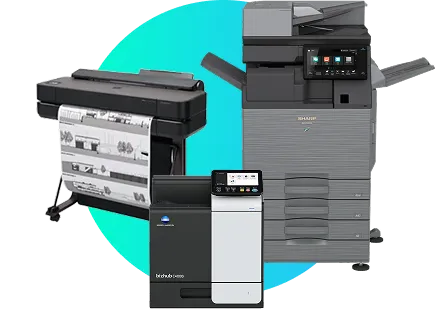
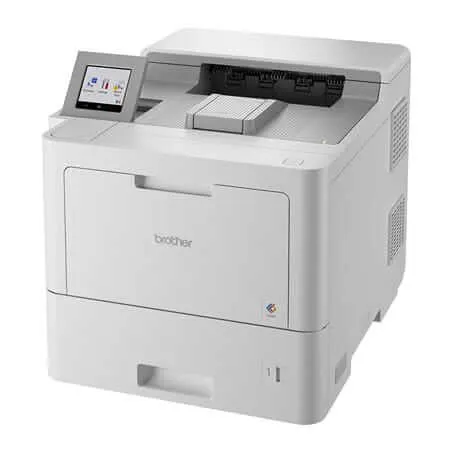
When an A4 printer may be the better choice
An A4 printer may be appropriate for offices that primarily print standard documents and do not require large formats. Situations where A4 printers may be suitable include:
Small businesses or offices with limited printing requirements
Teams that print mainly A4 documents
Offices with limited floor space
Distributed teams needing local printers
A4 printers are also common in hybrid workplaces, where smaller devices are placed closer to employees rather than using a single central printer.
When an A3 printer may be the better choice
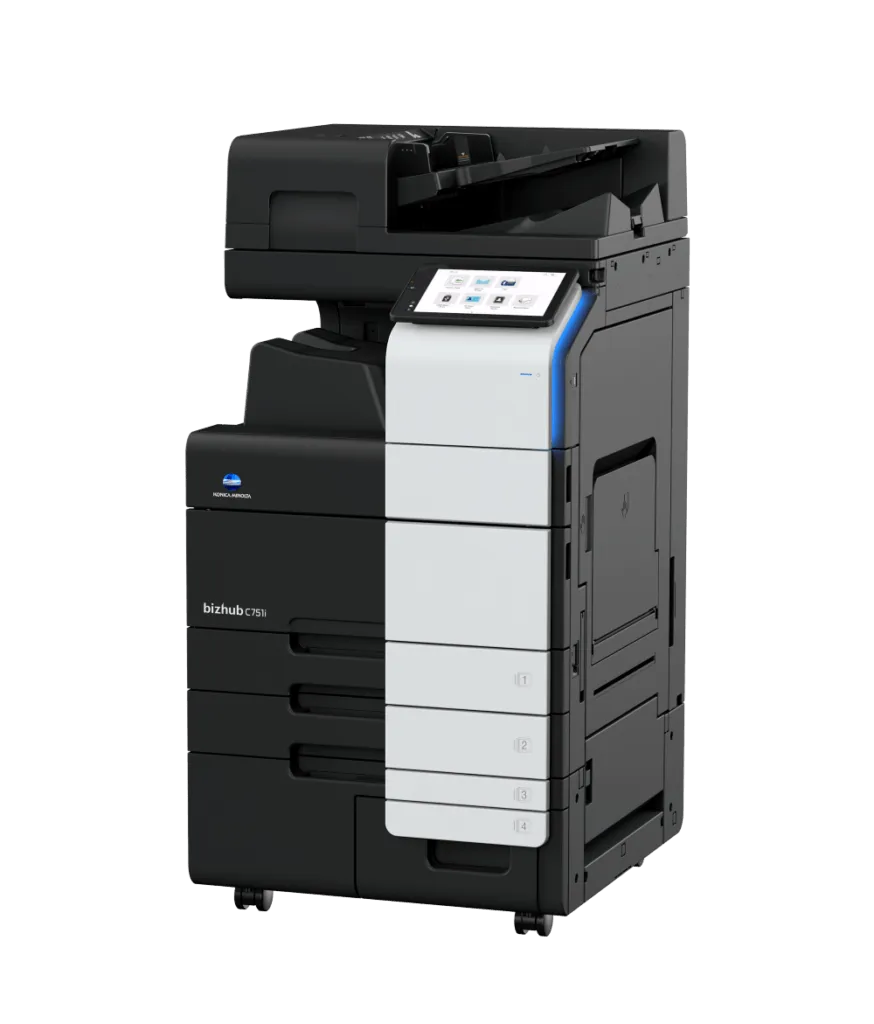
An A3 printer may be a better option when businesses require greater flexibility, higher volume capacity, or larger document formats.
Examples include organisations that regularly need to produce:
Spreadsheets or financial reports
Architectural plans
Marketing materials
Training manuals
Presentation documents
A3 devices are also commonly used in centralised print environments, where multiple teams share a single high-capacity machine.
Other factors to consider when choosing an office printer
Beyond paper size, procurement teams should evaluate several additional factors.
Print speed
Print speed may impact productivity in busy environments. High-volume teams may benefit from devices designed for faster output.
Multifunction capabilities
Many modern office printers combine multiple functions, including:
printing
scanning
copying
document distribution
These features can streamline document workflows across departments.
Network integration
Office printers often need to integrate with existing IT infrastructure, including:
Network printing
Secure print authentication
Cloud document platforms
IT teams typically review these capabilities during device selection.
Security features
Printer security has become an important consideration for businesses. Devices may include security features such as:
Secure print release
User authentication
Network protection
Document encryption
These features help protect sensitive business information.
Still not sure whether an A3 or A4 printer is right for you?
Speak with our expert print team today.
Book a consultation todayFAQs
Can an A3 printer print A4 documents?
Yes. Most A3 printers can print both A3 and A4 documents. This flexibility is one of the reasons businesses often choose A3 multifunction devices.
Is an A3 printer better than an A4 printer?
Not necessarily. The best option depends on document requirements, print volume, office layout, and operational needs.
Are A3 printers more expensive?
A3 printers typically have a higher upfront purchase price than A4 devices, but the total cost depends on usage, fleet size, and maintenance requirements.
Do small businesses need A3 printers?
Some small businesses benefit from A3 printing, particularly those producing marketing materials, diagrams, or large spreadsheets. Others may only require standard A4 output.
Can A4 printers handle high print volumes?
Some A4 printers are designed for moderate office workloads, but high-volume environments often rely on larger multifunction devices.
What industries commonly use A3 printers?
Industries that frequently use A3 printing include:
architecture and engineering
construction marketing and design
education
finance
How many office printers does a business need?
The number of devices depends on:
office size
number of employees
document workflows
print volume
Many organisations conduct a print assessment before selecting devices.
Should printers be centralised or distributed?
Some offices use centralised A3 printers, while others deploy multiple A4 printers across teams. The right approach depends on office structure and workflow.